
Humidity is the climate variable that most smart home owners ignore until something goes wrong. And when something goes wrong with humidity, it tends to be visible, expensive, or both. Mold on the bathroom ceiling. Wood floors that warp and gap through winter. A persistent cough that nobody can explain. Condensation running down bedroom windows every morning. These aren’t random household problems — they’re symptoms of a home where humidity has been allowed to drift outside the range where buildings and human bodies function well, often for months before anyone notices.
The frustrating thing is that humidity is one of the easiest environmental variables to monitor and manage once you have the right devices in place. A decent humidity sensor costs under $20. A smart humidifier or dehumidifier that responds automatically to readings can be had for $60–150. The gap between “noticing there’s a problem” and “having a system that prevents the problem” is smaller than most people expect — and the quality-of-life difference on the other side of that gap is substantial.
This guide covers the whole picture: what humidity levels you’re actually targeting, how to measure what’s happening in your home right now, and how to decide whether you need a humidifier, a dehumidifier, or whether a well-placed sensor and a few smart automations are genuinely all you need.
The Numbers That Actually Matter
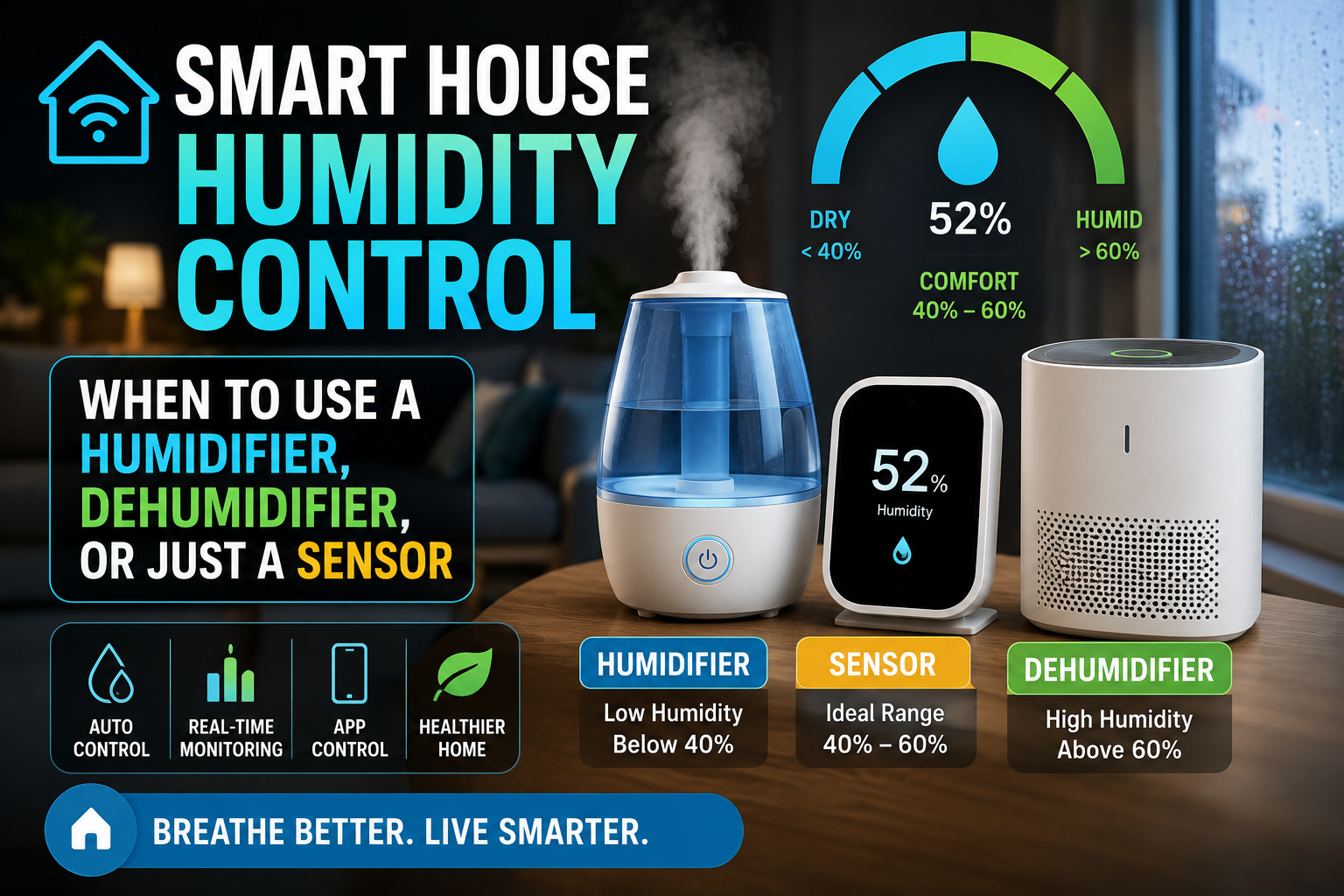
Before any device recommendation makes sense, it helps to understand what “good” humidity looks like in a residential space. The range that most building scientists, allergists, and HVAC engineers agree on is 40–60% relative humidity (RH). Within that band, a few things are true simultaneously: dust mites and mold have difficulty thriving, wood materials in furniture and flooring remain stable, respiratory passages stay comfortable, and most people report feeling neither dry nor clammy.
Below 30% RH — common in centrally heated homes during winter, particularly in cold climates — the air becomes dry enough to cause noticeable physical effects. Skin feels tight. Nasal passages dry out, which paradoxically increases susceptibility to respiratory infections because the mucous membranes that trap pathogens become less effective. Static electricity builds up on carpets and fabrics. Wooden instruments, furniture joints, and hardwood floors can crack or separate as the wood loses moisture to the surrounding air.
Above 65–70% RH — which happens in poorly ventilated bathrooms, basement apartments, homes near water, or anywhere with inadequate air circulation during warm months — the risk profile flips. At this humidity level, mold spores that are always present in indoor air find the conditions they need to colonize surfaces. Dust mites multiply more rapidly. The sensation of heat becomes more oppressive because the body’s primary cooling mechanism (evaporation of sweat) becomes less efficient. Over time, sustained high humidity causes structural damage: paint bubbles, wood swells, metal components corrode, and damp odors develop in soft furnishings and carpets.
The seasonal pattern in most homes runs like this: too dry in winter due to heating, too humid in summer due to heat and outdoor moisture infiltration. Managing both ends of that cycle is what smart humidity control is actually about.
Step One: Measure Before You Buy Anything
The single biggest mistake people make when addressing humidity problems is buying a humidifier or dehumidifier based on a general sense that the air “feels dry” or “feels muggy” — and then discovering that the device they bought doesn’t match the actual scale of the problem, or that they bought for the wrong season.
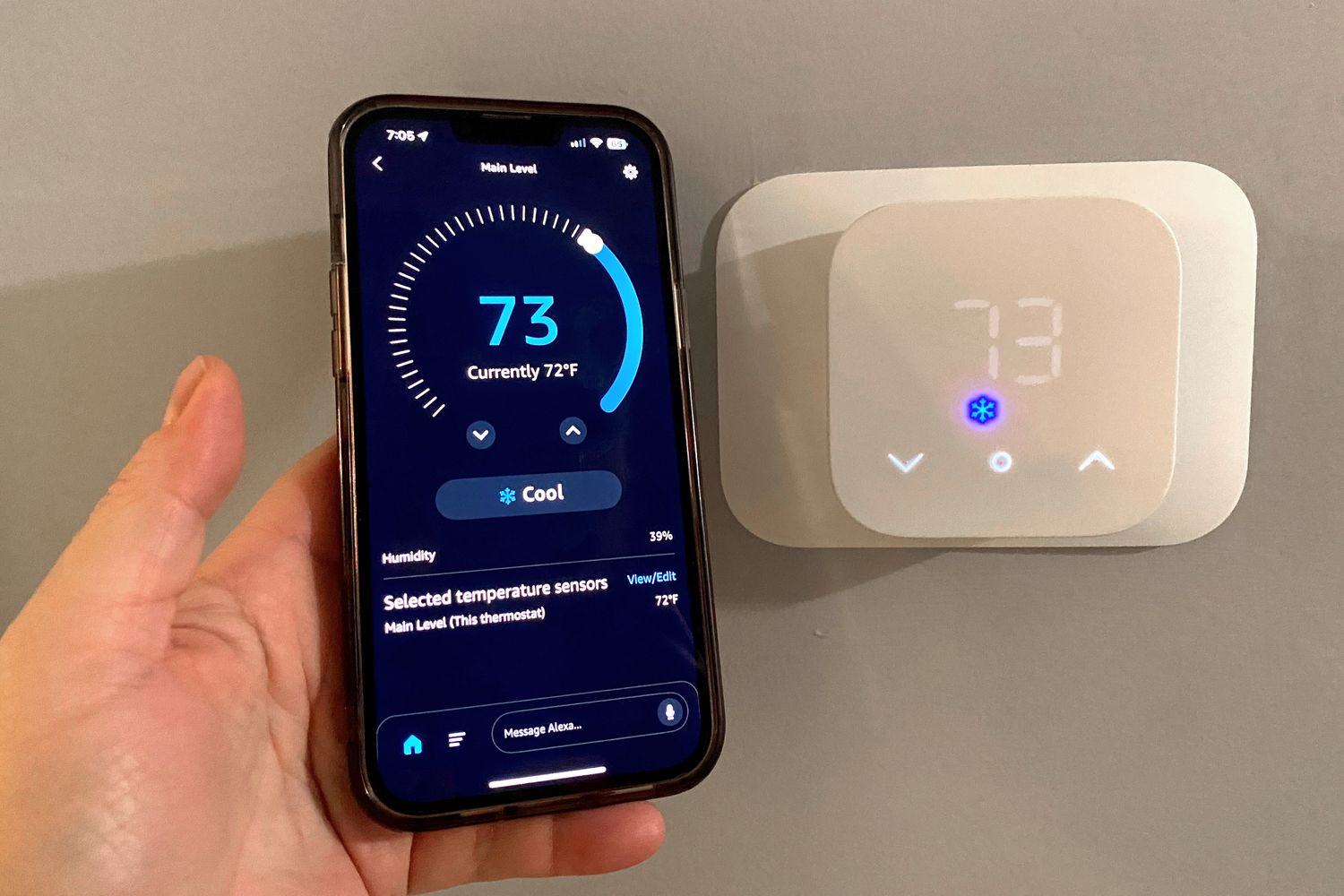
A smart humidity sensor changes this completely, because it gives you actual numbers across actual time. Not a snapshot from when you happen to check the app, but a logged history of how humidity in each room rises and falls throughout the day, responds to showers and cooking, changes between night and day, and varies by season.
The Govee Temperature Humidity Sensor (around $10–15, Bluetooth with Wi-Fi gateway) is one of the most cost-effective options available and provides reliable readings with a reasonably intuitive app that shows historical graphs. The Inkbird IBS-TH2 is similarly priced and popular with Home Assistant users because it exposes its data cleanly to third-party platforms. If you’re already in the Aqara ecosystem, the Aqara Temperature and Humidity Sensor (Zigbee, around $18) integrates natively with Apple HomeKit, Google Home, and Home Assistant without any additional bridge beyond what you already own.
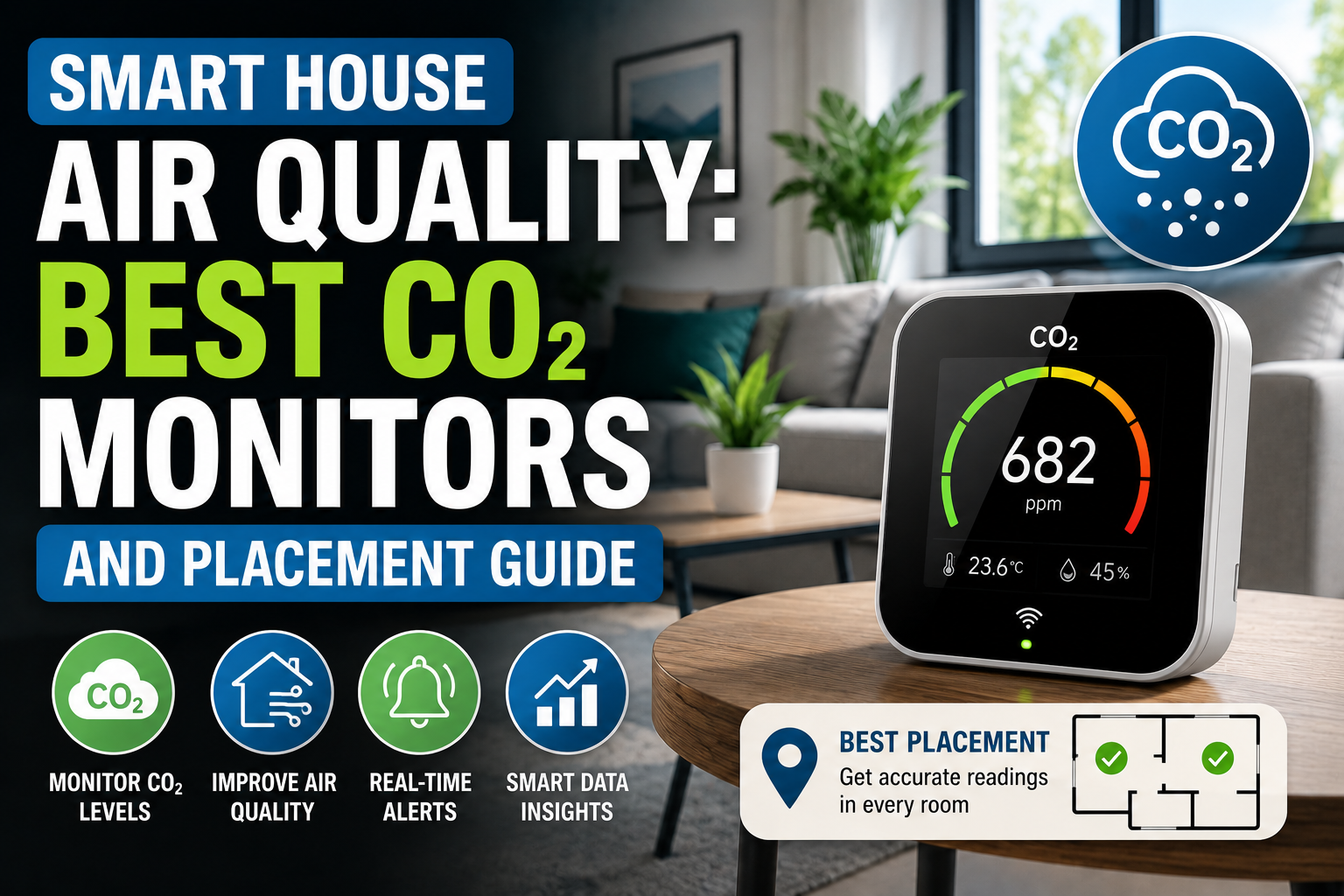
For a more comprehensive picture — one that also tracks CO₂, VOCs, and particulate matter alongside humidity — the Airthings Wave Plus or the Awair Element are worth considering, though at $150–180 they’re a more significant investment. If you’ve read the air quality article on this site, you’ll recognize these as the same devices recommended there: humidity monitoring is one of several reasons to own one.
Place sensors in the rooms where you suspect problems first: bedrooms (where you spend the most time and where nighttime humidity tends to rise from breathing), bathrooms (where humidity spikes dramatically after showers), and any basement or ground-floor room with potential moisture infiltration. Two weeks of data from these locations will tell you more about your home’s humidity profile than any amount of general advice.
When a Sensor Alone Is Enough
Not every humidity problem requires a humidifier or dehumidifier. Sometimes the issue is behavioral or ventilational, and a sensor that reveals the pattern is all you need to fix it.
The most common example is bathroom humidity. In most homes, a shower raises bathroom humidity to 80–95% RH within five minutes. If the exhaust fan runs during and for twenty minutes after the shower, humidity returns to ambient levels. If it doesn’t — because people turn it off when they leave the bathroom, or because the fan is undersized, or because nobody ever turns it on at all — that elevated humidity persists for hours and creates exactly the conditions where mold establishes itself on grout, caulk, and ceiling paint.
A humidity sensor in the bathroom paired with a smart plug on the exhaust fan (assuming the fan is plug-operated rather than hardwired — if hardwired, a smart switch is needed) creates a simple but effective automation: when humidity exceeds 75%, turn on the fan; when it drops back below 65%, turn it off. This runs automatically regardless of whether anyone remembers to operate the fan manually, and it runs for exactly as long as necessary rather than a fixed timer. In Home Assistant, this takes about ten minutes to configure. In Alexa, Google Home, or HomeKit, the same logic can be replicated through native automation tools with slightly less granularity but comparable results.
Similar logic applies to kitchens, where cooking generates significant moisture, and to utility rooms with washing machines or tumble dryers that exhaust internally. In both cases, a sensor-triggered ventilation automation prevents humidity from accumulating to problematic levels without any ongoing manual involvement.
When You Need a Humidifier
If your sensor data shows that humidity in your home consistently falls below 35% RH during winter months — and this is genuinely common in homes with forced-air heating, because warm dry air from the furnace displaces indoor moisture — a humidifier is the right tool.
The practical choice is between a whole-home humidifier (integrated into the HVAC system, typically requiring professional installation, most effective for large spaces) and a standalone room humidifier controlled via smart plug or native smart features.
For most smart home setups, a standalone smart humidifier is the more accessible option. The Levoit Classic 300S is a well-regarded choice: it has a built-in Wi-Fi module, works with Alexa and Google Home natively, allows humidity target-setting directly in the app, and runs quietly enough for bedroom use. At around $60–70, it represents the best balance of smart features, capacity (6L tank), and reliability in the mid-range category. The Dyson Purifier Humidify+Cool is a premium option that combines air purification, humidification, and fan functions with detailed humidity control — impressive hardware, but at $700+ it requires significant justification.
The smart integration that makes a humidifier genuinely useful rather than just convenient is humidity-triggered automation. Rather than setting a schedule (which doesn’t account for outdoor humidity changes or occupancy patterns), linking the humidifier’s operation to a humidity sensor reading keeps the indoor level stable regardless of external conditions. When a sensor reports below 38% RH in the bedroom, the humidifier activates. When it reaches 45%, it stops. This prevents both the discomfort of dry air and the opposite problem of over-humidifying — which, counterintuitively, is a real risk with humidifiers set to run on fixed schedules rather than responsive targets.
One practical note: humidifiers require regular cleaning, more so than almost any other smart home device. The warm, moist interior of a humidifier is an ideal environment for bacteria and mold, which are then dispersed into the room air when the device runs. Ultrasonic humidifiers (which use high-frequency vibration rather than heat to vaporize water) are particularly susceptible to this because they don’t boil the water before dispersing it. Weekly cleaning with white vinegar and monthly deep cleaning with a diluted bleach solution is the realistic maintenance schedule for any humidifier used regularly.
When You Need a Dehumidifier
If your sensor data points the other way — humidity consistently above 60% in living spaces, or above 70% in enclosed areas like a basement or utility room — a dehumidifier is the appropriate response.
The case for a smart dehumidifier is actually stronger than for a smart humidifier, because dehumidifiers are typically left running unattended for longer periods and in spaces (basements, crawl spaces) where you’re less likely to notice problems developing. A device that operates intelligently based on humidity targets, communicates its status to your phone, and alerts you when its water reservoir is full is genuinely more useful than a dumb device on a timer.
The Midea 20-Pint Smart Dehumidifier and the hOmeLabs 35-Pint are both reliable mid-range options with app connectivity, though the smart features on both are relatively basic — largely limited to remote on/off and humidity target setting rather than full automation integration. For users who want genuine smart home integration, pairing a conventional dehumidifier via a smart plug with a separate humidity sensor gives more flexibility: the plug activates the dehumidifier when the sensor reports above 65% RH and cuts power when it drops to 55%, regardless of the dehumidifier’s own internal controls.
For basements specifically, a dehumidifier with a continuous drain option (a hose connection that routes collected water directly to a floor drain) removes the need to empty the reservoir manually — a significant quality-of-life improvement for a device that may collect several liters of water per day in a humid basement.
Building a Whole-Home Humidity Strategy
Managing humidity intelligently across multiple rooms means thinking about the home as a system rather than treating each room in isolation. A few principles that hold across most setups:
The bathroom and kitchen are humidity sources — rooms where moisture is generated and needs to be actively removed. The bedroom and living room are humidity sinks — rooms where the target is maintaining stable, comfortable levels. Basement and utility areas are the highest-risk zones for sustained high humidity and benefit most from continuous monitoring and automated dehumidification.
The relationship between rooms matters too. A consistently over-humid bathroom without adequate exhaust ventilation will raise humidity in adjacent rooms over time as moisture migrates through wall cavities and under doors. Fixing the source (bathroom ventilation automation) is more effective than managing the symptom (dehumidification in adjacent rooms).
In terms of automation architecture, the most robust setup links humidity sensors in each zone to the relevant control device — exhaust fan smart switch or plug for bathrooms, humidifier smart plug for bedrooms in winter, dehumidifier smart plug for basement year-round — with each automation running independently rather than through a single centralized routine. This way, a problem in one zone doesn’t affect the others, and the system continues to function correctly even if one component needs maintenance or replacement.
Conclusion
Humidity control is the climate variable that most smart homes have the hardware to manage but rarely do, simply because nobody thinks about it until there’s visible mold or chronic dry air symptoms. The path from “ignoring it” to “managing it automatically” is shorter than expected: a sensor or two, the right device for your specific problem, and a couple of automations that run indefinitely without manual intervention.
Start with the sensor. Two weeks of data will tell you whether you’re running dry in winter, accumulating moisture in summer, generating problematic spikes in the bathroom, or operating comfortably within the 40–60% band where you don’t need to do much at all. From there, the device decision is straightforward — and the automation logic to make it all work quietly in the background is simpler than it sounds.
The homes that stay comfortable year-round aren’t the ones with the most devices. They’re the ones where the right devices are measuring the right things and responding to what they find. Humidity is a good place to apply that principle, because the gap between measuring it and managing it is genuinely small — and the difference it makes is anything but.