


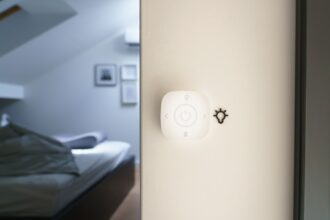

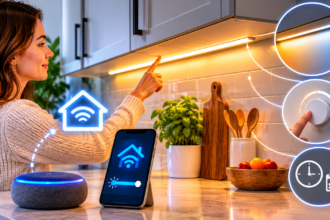


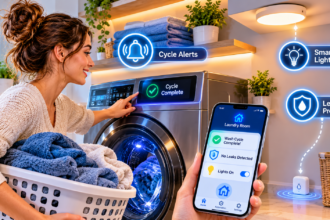


A smart window sensor tells your home when a window is open or closed, so your heating, cooling, and alerts can react instead of guessing. It is one of the cheapest ways to stop wasting energy and to make your climate devices behave sensibly.
Why Smart Window Sensors Matter for Comfort
Most climate devices are blind to one simple fact: a window is open. Your thermostat keeps pushing warm air into a room while cold air pours in through the gap. Your air conditioner works hard against the afternoon sun while a bedroom window sits ajar.
A window sensor closes that gap. It gives your system a single piece of missing information, and that small piece unlocks a surprising number of useful automations.
What a window sensor actually does
A smart window sensor is a small two-part device. One part, the sensor, attaches to the window frame. The other, a small magnet, attaches to the moving sash. When the two are together, the window is closed. When they separate, the sensor sends a message to your hub, app, or voice assistant.
Most models are about the size of a matchbox, run on a coin battery, and stick on with adhesive. There is no wiring and no drilling, which makes them ideal for renters.
The problems window sensors solve
Window sensors earn their keep in a few specific situations:
- Wasted heating and cooling: Pausing the thermostat or air conditioner when a window opens.
- Forgotten windows: Reminders when you leave home or go to bed with a window still open.
- Rain and weather surprises: Alerts when rain is forecast and a window is open.
- Basic security awareness: Knowing when a ground-floor window opens unexpectedly.
- Air quality decisions: Letting a purifier or fan know when fresh air is already coming in.
If none of these sounds familiar, you may not need one. Most households find at least two that do.
How they fit with the rest of your climate setup
Window sensors work best as supporting actors. They do not heat or cool anything. Instead, they feed information to the devices you already own.
If you already have a smart thermostat, a mini-split, or smart radiator valves, a window sensor makes all of them smarter. Our guides to smart thermostats, smart air conditioners, and radiator valves explain those devices. This article focuses on the small sensor that connects them to the real world.
How to Choose the Right Window Sensor
Sensors look alike, but a few details decide whether you will love or resent them. Check these before buying.
Connectivity: Wi-Fi, Zigbee, Z-Wave, Thread, or Bluetooth
The way a sensor talks to your system affects battery life, speed, and reliability.
- Zigbee and Z-Wave sensors are very battery efficient and fast, but they need a compatible hub or speaker.
- Thread and Matter sensors work across ecosystems and are quickly becoming the safest long-term choice.
- Wi-Fi sensors need no hub, but they use more battery and add devices to your router.
- Bluetooth sensors are cheap but usually limited in range and automation options.
If you already have a hub, match the sensor to it. If you are starting from zero, favor a Matter or Thread model, because it will keep working if you change ecosystems.
Battery type and life
Most sensors use a CR2032 or CR2450 coin cell and last one to three years. Check how the app reports battery level, because a sensor that dies silently defeats its own purpose.
Look for a product that sends a low-battery notification well before it stops working. Keep a few spare cells in a drawer.
Size, color, and gap tolerance
Window frames vary a lot. Sensors need to sit within a few millimeters of their magnet when the window is closed, so a thick or uneven frame can cause problems.
- Choose a slim model for narrow frames and sliding windows.
- Check the maximum gap listed in the specifications.
- Pick a color that matches the frame, since white and brown are common.
Tilt, vibration, and extra features
Some sensors add features beyond open and closed. A few can detect tilt, which helps with tilt-and-turn windows, while others can detect vibration or temperature.
Do not pay extra for features you will not use. For most people, a simple contact sensor is enough.
| Feature | Worth paying for? | Why |
|---|---|---|
| Contact detection | Essential | The core function |
| Low-battery alerts | Essential | Prevents silent failure |
| Matter or Thread support | Strongly recommended | Works across ecosystems |
| Tilt detection | Only for tilt-and-turn windows | Distinguishes tilted from open |
| Built-in temperature reading | Optional | Handy but often inaccurate |
How to Install a Window Sensor Without Frustration
Installation takes a few minutes per window, but a careless job leads to false alerts and peeling adhesive. Follow these steps for a clean result.
Prepare and position the parts
Clean both surfaces with isopropyl alcohol and let them dry. Mount the sensor on the fixed frame and the magnet on the moving part, so the two line up when the window closes.
Test the position before you peel off the adhesive backing. Hold the parts in place, open and close the window, and confirm the app reports each change.
Mount on the right side
Place the sensor on the side of the window opposite the hinge or handle, where the gap opens first. This ensures that even a slightly open window triggers the alert, rather than only a fully open one.
On sliding windows, mount the sensor on the fixed part of the frame, and the magnet on the sliding sash.
Name each sensor clearly
Use plain names like “Bedroom window” or “Kitchen window left.” Clear names make voice commands and automation lists far easier to manage, especially once you have six or eight of them.
Test in real conditions
After installing, open and close each window several times. Try a slow, partial opening to check how early the sensor reacts. If it triggers late, move the magnet closer.
Special cases: tilt-and-turn, skylights, and balcony doors
Not every window opens the same way, and a few types need extra thought.
- Tilt-and-turn windows: Choose a sensor with tilt detection, or place two sensors so you can tell tilted from fully open.
- Skylights and roof windows: Check that the sensor suits the angle and that you can reach it to change the battery.
- Balcony and patio doors: Treat these as both doors and windows, since people go in and out frequently and the pause delay should be longer.
Automations That Make Window Sensors Worth It
A sensor on its own only reports a status. The real value comes from the automations you build around it.
Pause heating or cooling when a window opens
This is the automation most people install first. When a window stays open for more than a few minutes, set your thermostat, air conditioner, or radiator valve to an energy-saving mode or switch it off.
Add a delay of two to five minutes, so a quick airing out does not toggle the system constantly. When the window closes, the system should return to its normal schedule automatically.
Remind yourself when you leave or go to bed
Create an alert that triggers when you leave home with a window open, or when your bedtime routine runs. A short notification with the window’s name is enough.
This is also useful on winter evenings, when a forgotten window can quietly cool a room for hours.
Warn about rain and wind
Connect your sensors to a weather source. If rain is forecast and a window is open, you receive a notification before the weather arrives.
Keep this alert simple. Too many weather messages teach you to ignore them.
Coordinate with purifiers and fans
If an open window is already bringing in fresh air, a purifier might not need to work as hard. If the air outside is poor, you may want the opposite: a reminder to close the window and let the purifier run.
Pair this automation with an outdoor air quality source, if your system supports one.
Add a basic security layer
A window sensor can also alert you if a window opens when no one should be home. It is not a full alarm system, but it adds helpful awareness at almost no cost.
For a more serious setup, combine window sensors with door sensors and a proper monitoring plan.
Seasonal tweaks worth making
The same sensor can behave differently depending on the time of year, and a few small adjustments keep the automations useful.
- Winter: Use a short delay and a strict pause, because cold air enters quickly and rooms lose heat fast.
- Summer: Allow a longer delay in the evening, when opening a window to cool a room down is often the smarter move.
- Shoulder seasons: Disable the pause entirely on mild days, so your system does not switch off when the outside air is pleasant.
Most apps let you build these as separate schedules or modes. Name them clearly, such as “Winter window rules,” so you can switch them on and off in seconds.
Use groups for rooms with several windows
A bedroom with two windows, or a living room with a balcony door, should behave as one zone. Group the sensors so that any open window pauses the system, and all closed resumes it.
Without grouping, you may end up with a thermostat that restarts the moment one window closes, while another stays open.
How Much Can You Actually Save?
Honest numbers matter, so here is a realistic view. A window sensor does not create savings by itself. It prevents a specific kind of waste: running heating or cooling against an open window.
Households that air out rooms often, or have family members who leave windows open, see the most benefit. A household that rarely opens windows will see little.
Factors that affect the result
Savings depend on several things:
- Climate: Extreme weather makes open windows more expensive.
- Habits: Frequent airing makes the automation more useful.
- System type: Zoned systems benefit more than whole-house systems.
- Home size: Smaller rooms recover temperature faster.
Treat the sensor as a low-cost habit fixer rather than a guaranteed money saver. At roughly $15 to $30 per sensor, it pays for itself only if it changes behavior.
Where to start
Start with the windows you open most often, usually the bedroom, the kitchen, and the living room. Add others later, once you see what the automations do.
Common Problems and How to Fix Them
Window sensors are simple, but they still run into a few predictable issues.
- The sensor reports open when the window is closed: The magnet is too far away or misaligned. Reposition it closer to the sensor.
- The sensor drops offline: Move your hub or a repeater closer, or check the battery.
- Notifications arrive too often: Add a delay and use a schedule to limit alerts.
- The adhesive peels: Clean the surface again, press firmly for 30 seconds, and avoid mounting on textured paint.
- The automation triggers while you air out a room: Increase the delay before the thermostat pauses.
- Sliding windows give inconsistent readings: Use a slimmer sensor or a model designed for sliders.
Whenever something behaves strangely, check the battery before anything else. It solves more problems than any other fix.
Frequently Asked Questions
Do smart window sensors work with a smart thermostat?
Yes, if both devices share an ecosystem or a hub. You can create an automation that pauses heating or cooling when a window opens, and some thermostats offer this as a built-in feature.
How many window sensors do I need?
Most people start with two to four sensors on the windows they use most. You do not need to cover every window to see benefits.
Are window sensors the same as door sensors?
They use the same technology, so most contact sensors work on both. Some are designed for doors and windows in specific sizes, so check the specifications.
Can I use a window sensor in a rental?
Yes. They attach with removable adhesive, need no wiring, and leave little or no mark when you peel them off carefully with gentle heat.
Will a window sensor alert me if someone breaks the glass?
No. A contact sensor only detects when the window opens. If you want glass-break detection, you need a separate sensor designed for it.
How long do the batteries last?
Typically one to three years, depending on the model and how often the window opens. Choose a sensor that sends low-battery alerts.
Do I need a hub?
Not for Wi-Fi or some Bluetooth models, but Zigbee, Z-Wave, and Thread sensors work through a hub or compatible device. A hub usually gives better battery life and reliability.
Conclusion
Smart window sensors are small, cheap, and surprisingly useful. They give your thermostat, air conditioner, and radiator valves the one fact they cannot figure out alone: whether a window is open.
Choose a sensor that matches your ecosystem, mount it carefully, and build one or two simple automations. Pause heating and cooling when a window opens, and remind yourself when you leave with one open.
Start with the two windows you open most often. If the automations feel helpful after a couple of weeks, add the rest and let your climate devices work with the real conditions in your home.