
Building a smart home when you don’t own the walls is entirely possible — if you know which devices to buy and which ones to avoid entirely.
- Why Most Smart Home Advice Fails Renters
- Device 1: A Smart Speaker / Voice Assistant Hub
- Device 2: Smart Bulbs (Start With Two, Expand From There)
- Device 3: Smart Plugs (The Unsung Hero of Renter Smart Homes)
- Device 4: A Smart Motion Sensor
- Device 5: A Smart Plug Thermostat or Portable Smart Air Monitor
- Building It Out: A Realistic Purchase Sequence
- Conclusion: Renting Isn’t a Reason to Wai
Renting and smart home technology have an uneasy relationship, and if you’ve ever stood in a hardware store holding a smart light switch while thinking “but I can’t rewire anything,” you know exactly what that tension feels like. The typical smart home content online is written implicitly for homeowners — people who can drill holes, run cable, swap electrical panels, and install hardwired devices without asking anyone’s permission. For renters, that content is somewhere between useless and actively misleading.
The good news is that the constraint of renting doesn’t have to mean settling for a dumb apartment. It just means being strategic about which devices you buy. There’s an entire category of smart home technology that requires zero permanent modifications, leaves no trace when you move out, and delivers genuine quality-of-life improvements — not just novelty — from the day you set it up.
The five devices in this guide were chosen with one central filter: will you be able to pack them in a box when your lease ends and set them up identically in your next place? If the answer is yes, they’re worth considering. If installation involves a screwdriver, a wall anchor, or anything that could get you in trouble with your landlord, they don’t make this list. What you end up with is a starter kit that’s portable, practical, and genuinely capable — not a watered-down compromise.
Why Most Smart Home Advice Fails Renters
Before getting into the specific devices, it’s worth naming what makes renter-friendly smart home advice different — because the failure modes of bad advice here are real and annoying.
The most common mistake is recommending smart light switches. They’re popular, they work well, and they are genuinely useful in a home you own. But they require replacing the existing switch hardware, usually involve touching the wiring inside the wall, and in many rental agreements, any modification to electrical fixtures — however reversible — is explicitly prohibited. Coming home to a letter from your landlord because a neighbor saw you mucking around in the switch box is not worth the convenience.
Similarly, smart doorbells that require hardwiring, smart locks that replace the existing deadbolt cylinder, and in-wall smart outlets all fall into a category that renters simply shouldn’t touch without explicit written permission from their landlord. Some landlords say yes — in which case, proceed — but you shouldn’t assume, and you definitely shouldn’t make those devices your starting point.
The five devices below sidestep all of that cleanly. They plug in, sit on surfaces, or replace things you already own (like light bulbs, which are consumables and universally considered tenant property). When you move, they move with you.
Device 1: A Smart Speaker / Voice Assistant Hub
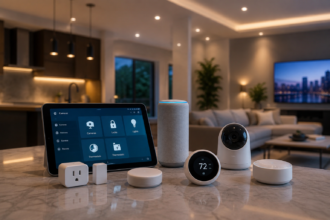
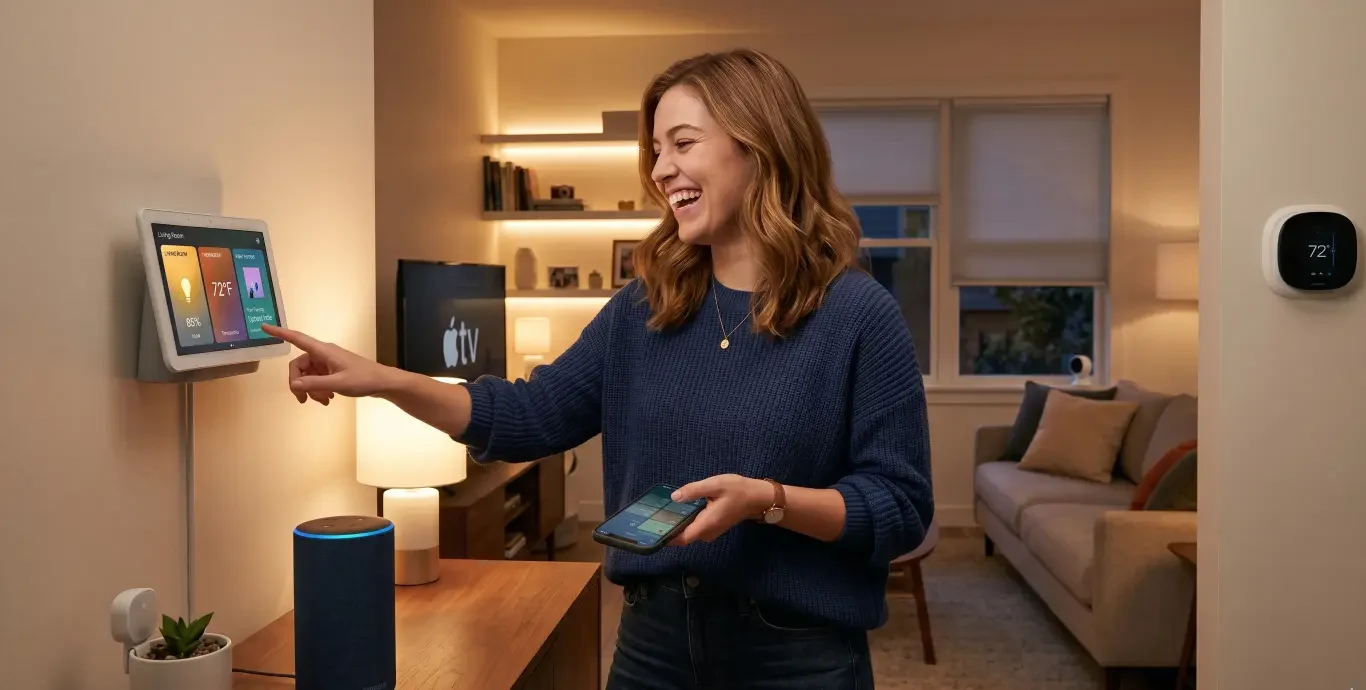
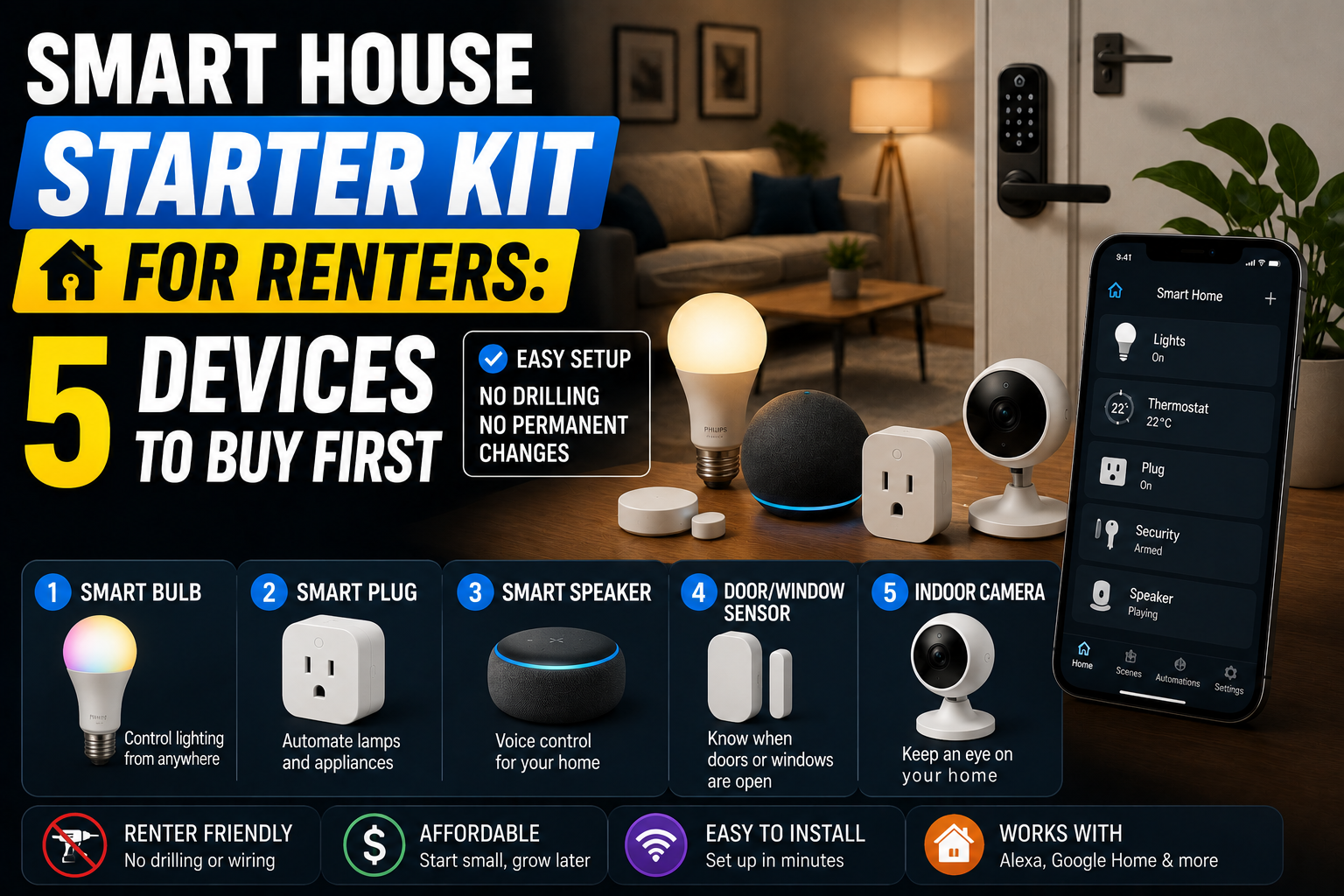
Every smart home needs a central nervous system — something that ties the individual devices together and gives you a unified way to interact with all of them. For renters, a smart speaker is the ideal starting point because it’s literally just a device you plug into a wall outlet. Nothing attaches to anything. It goes where you go.
The choice between Amazon Echo, Google Nest Audio, and Apple HomePod Mini is mostly a question of which ecosystem you’re already in. iPhone users tend to find HomePod Mini more natural; Android users generally prefer Google’s assistant; and the Alexa ecosystem has the broadest third-party device compatibility, which matters as you add more devices later.
What a voice assistant hub actually adds to the other four devices on this list is hard to overstate. Without it, you have a collection of individually controllable gadgets managed through separate apps. With it, you have a system — one that responds to voice commands, runs routines that trigger multiple devices simultaneously, and lets you say “good morning” to an empty room and have your coffee maker start, your lights come on at a gentle brightness, and your phone’s weather app get narrated back to you.
The Echo Dot is the most affordable entry point at around $35-40, and for a single room or small apartment it’s completely adequate. For larger spaces or better audio quality, the standard Echo or Google Nest Audio at $50-100 is worth the upgrade. Either way, this is the device you buy first, because everything else on this list works better for having it.
Device 2: Smart Bulbs (Start With Two, Expand From There)
Smart bulbs are the single most renter-friendly smart home device that exists. Landlords provide light fixtures; tenants provide bulbs. Swapping a standard LED for a smart LED is no different, legally or practically, than swapping one regular bulb for another. When you move out, you take your smart bulbs and replace them with cheap standard bulbs — or simply leave them and consider it part of what you paid for the experience.
The first decision is color versus white-only. Smart white bulbs (tunable white, specifically — the kind that can shift between warm and cool color temperatures) cost around $10-15 each and are sufficient for most practical purposes. Full color-changing bulbs cost $20-35 each and add the ability to set moods, create accent lighting effects, and do the things you’ve seen in smart home marketing photos. Both are valid; the question is whether you’ll actually use color beyond the novelty phase, which most honest smart home users admit wears off faster than expected.
For a rental apartment, the highest-value placements are the bedroom (where a gradual morning wake-up scene and a gentle evening dim-down genuinely affects sleep quality) and the main living space lamp (where a voice-triggered evening scene creates an atmosphere that a single overhead light can’t match). Two bulbs at these two locations, integrated with your voice assistant, will do more for your daily experience than ten bulbs scattered throughout the apartment.
Philips Hue remains the quality benchmark and works best if you plan to expand the system significantly — their Bridge hub (an additional $50 investment) enables local control and more sophisticated automations. But for a rental starter kit, a single Hue Bridge for two bulbs is hard to justify. IKEA TRÅDFRI bulbs and Govee Smart Bulbs work directly over Wi-Fi without a hub, play nicely with Alexa and Google Home, and cost considerably less. For a renter who might move in eight months, that’s often the smarter economic choice.
Device 3: Smart Plugs (The Unsung Hero of Renter Smart Homes)
If smart bulbs get all the glamour attention in smart home setups, smart plugs are the workhorses that quietly make everything else more functional. A smart plug costs $10-15, requires no installation whatsoever (it just goes into an existing outlet), and turns literally anything that draws power into a remotely controllable, schedulable device.
The use cases multiply quickly once you have one. A smart plug behind the coffee maker means it starts automatically at 7am without you needing a programmable coffee maker — your completely ordinary $30 drip machine becomes a smart appliance overnight. A smart plug controlling a floor lamp in the living room is functionally nearly identical to a smart bulb in the ceiling fixture, and costs far less if the floor lamp already exists. A smart plug behind a window air conditioning unit can turn it on remotely while you’re still on your commute home, so the apartment is cool when you arrive.
The feature worth paying slightly more for — typically adding $5-8 to the base cost — is energy monitoring. Smart plugs with energy monitoring show you real-time and historical power consumption for whatever is plugged into them. For renters who pay their own electricity bills, this is eye-opening. Discovering that an old desktop computer in sleep mode draws more power than you expected, or that a space heater running for three hours a day accounts for a disproportionate share of your monthly bill, tends to change behavior in ways that produce real savings.
TP-Link Kasa is the most consistently recommended brand for smart plugs across the enthusiast community, and for good reason: reliable Wi-Fi connectivity, a well-designed app, broad compatibility with Alexa, Google Home, and Apple HomeKit, and longevity as a company that isn’t going anywhere. The Kasa EP25 (with energy monitoring) or EP10 (without) are both solid choices. Buy two to start, and add more as you identify the right use cases in your specific space.
Device 4: A Smart Motion Sensor
This is the device that makes the biggest conceptual shift in a rental smart home — from a system that responds to commands to one that responds to context. A motion sensor notices that you’ve walked into a room and triggers automations accordingly. It doesn’t wait for you to say anything or press anything; it just acts.
For renters, the best motion sensor application is almost always a hallway or bathroom scenario. A motion sensor in the hallway means the hallway light (a smart bulb) comes on automatically when you walk through at night and turns off after a minute of no movement. You will never stub your toe on a dark hallway again because you forgot to tell your assistant to turn the light on. The automation just handles it.
Bathroom motion sensors are similarly practical: light on when you enter, off when you leave, with a two-minute delay to catch the scenario where you’ve stepped out briefly but are coming back. For renters who share spaces with roommates, this kind of presence-based automation is more respectful than scheduling — it works around actual human behavior rather than trying to predict it.
The Aqara Motion Sensor P1 (around $18-22) is an excellent choice — compact, accurate, and compatible with most major ecosystems. The Philips Hue Motion Sensor ($30-35) integrates seamlessly if you’re in that ecosystem. Both use batteries (typically lasting a year or more) and can be placed on any surface or attached to a wall with included adhesive mounts that remove cleanly. No drilling.
A Note on Automation Setup
The motion sensor’s value multiplies significantly when it’s integrated with your voice assistant hub’s automation platform. In Amazon Alexa, this is done through Alexa Routines. In Google Home, through Automations. In Apple Home, through Automations as well. Setting a rule that says “when motion sensor detects movement between 11pm and 6am, turn on hallway light at 20% brightness” takes about three minutes to configure and works reliably for years. This is the kind of set-and-forget automation that makes a smart home feel like genuine ambient intelligence rather than just a remote control system.
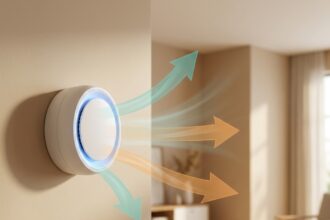
Device 5: A Smart Plug Thermostat or Portable Smart Air Monitor
The fifth slot in a renter starter kit is more context-dependent than the previous four, and it depends significantly on your living situation and climate. There are two strong candidates depending on what matters most to you.
If climate control is a priority: a portable smart air conditioner or space heater paired with a smart plug and a temperature sensor creates a rudimentary smart climate system without touching the apartment’s central HVAC. Brands like Midea and LG make portable air conditioners with built-in Wi-Fi control, allowing you to set temperature schedules and control the unit remotely. Paired with a temperature sensor (the Govee Wi-Fi Thermometer Hygrometer costs around $15 and reports temperature and humidity to your phone), you can build automations that trigger the unit based on actual room temperature rather than time alone. This is meaningfully more efficient than running AC on a fixed schedule.
If air quality is a priority: a compact smart air quality monitor like the Airthings Wave Mini ($80) or the Govee Air Quality Monitor ($40) tracks CO2, humidity, temperature, and volatile organic compounds, and logs trends over time. For renters in urban apartments — where ventilation is often poor, off-gassing from furniture is a real issue, and landlords rarely prioritize air quality — this kind of real data is both enlightening and actionable. High CO2 in the bedroom explains why you feel sluggish in the morning better than any fitness tracker data will.
Either device can be integrated with your existing smart home setup to varying degrees. The portable AC units with Wi-Fi work with Alexa and Google Home directly. The Airthings devices have their own ecosystem but also connect to third-party hubs. At the $40-80 price range, both represent a meaningful addition to a rental smart home without being a major financial commitment.
Building It Out: A Realistic Purchase Sequence
If you’re starting from zero and working within a sensible budget, here’s how this plays out in practice. Week one: Echo Dot and two smart bulbs. Get comfortable with Alexa Routines, set up a morning scene and an evening scene, and evaluate which other lamps and devices in your apartment you actually use enough to warrant smart control. Week two or three: add two smart plugs to the most obvious candidates — the coffee maker, the main floor lamp, the fan in the bedroom. Spend a few days noticing what you instinctively reach to control that isn’t yet connected.
By week four, the motion sensor starts to make obvious sense because you’ve lived with enough manual voice control to appreciate where the friction points are. The fifth device — thermostat management or air quality monitoring — gets chosen based on what you’ve noticed about your space in those first weeks.
Total investment for all five: roughly $130-180 depending on brands and features chosen. That’s a complete, functional smart home for a rental property, portable enough to fit in a single medium-sized box when it’s time to move, and sophisticated enough to deliver genuine improvements to daily life.
Conclusion: Renting Isn’t a Reason to Wai
The temptation for renters is to put smart home plans on hold until “someday when I own a place.” It’s worth pushing back on that instinct, because the devices in this guide don’t require owning anything. They don’t touch the walls. They don’t modify the fixtures. They don’t give your landlord any legitimate reason to complain. And they make the space you live in right now — the apartment you’re spending real time and real money on — meaningfully better.
Start with the voice assistant. Add the smart bulbs. Build outward from there. The whole system takes a weekend to set up properly and the routine it creates takes about a week to become the new normal. Then the next time you move, you pack it all in a box and the new place gets smart before the furniture is fully arranged.
That’s not a compromise version of a smart home. That’s just a smart home that happens to work for renters.