
Most people have a complicated relationship with mornings. The alarm goes off — that jarring, aggressive sound that your brain has been trained to dread since middle school — and the first thing you feel is not rest or readiness, but a spike of cortisol and a vague resentment toward the day ahead. Meanwhile, the room is either too warm because the cooling turned off at midnight to save energy, or too cold because the window unit blasted through the night without any intelligence about what your body actually needed. You lie there in the dark, bracing for something that should feel like a fresh start.
The smart bedroom has a genuinely good answer to this. Not a gadget-for-gadget’s-sake answer, but a thoughtfully designed system that uses light and temperature to work with your biology rather than against it. Sunrise alarm clocks, smart bulbs programmed to mimic natural light, and quiet, automatable cooling devices can transform the experience of waking up and falling asleep in ways that a traditional bedroom setup simply cannot replicate. And unlike some areas of home automation where the technology still feels rough around the edges, the tools for a smart bedroom have matured considerably. This is one area where the investment genuinely pays off in daily life.
The Science Behind Waking Up Better
Before getting into specific products and setups, it’s worth understanding why sunrise alarms work — because once you understand the mechanism, the product choices become a lot clearer.
Your body’s sleep-wake cycle is primarily regulated by light. In a natural environment, the gradual brightening of dawn triggers a slow reduction in melatonin production and a corresponding rise in cortisol, your body’s natural alerting hormone. This process starts 20 to 30 minutes before you actually open your eyes. By the time you wake up, your body has already been gently preparing — which is why waking to natural light, on a morning when you’ve slept enough, feels so different from being jolted awake in darkness by an alarm.
A sunrise alarm replicates this gradient artificially. It starts a slow increase in light intensity 20 to 30 minutes before your target wake time, triggering that same hormonal shift. The research behind this approach is solid — multiple studies have found that light-based wake-up systems improve subjective sleep quality, morning alertness, and mood compared to sound-only alarms. For people who struggle with seasonal affective tendencies or who work early shifts that require waking before natural dawn, the effect can be quite significant.
Temperature plays a complementary role. Your core body temperature naturally drops during sleep and begins rising as you approach waking. Sleeping in a room that’s cooler than your daytime environment supports deeper sleep; a room that warms slightly as morning approaches supports the transition to wakefulness. Getting both light and temperature right, and automating them together, is the goal of a well-designed smart bedroom.
Dedicated Sunrise Alarm Clocks vs. Smart Bulb Setups
There are two distinct approaches to sunrise lighting in the bedroom, and which one is right for you depends on your priorities and your existing smart home setup.
Dedicated Sunrise Alarm Clocks
Devices like the Philips SmartSleep Wake-Up Light, the Hatch Restore 2, and the Lumie Bodyclock range are purpose-built for this job. They sit on your nightstand, contain their own light source (typically a warm-toned LED with variable intensity and color temperature), and manage the sunrise simulation independently without needing to connect to a larger smart home ecosystem.
The Philips SmartSleep line is the most clinically validated option — Philips has published research on their wake-up light technology and the devices have a track record going back almost two decades. The Wake-Up Light HF3520, for example, starts with a warm red-orange glow that gradually shifts toward bright yellow-white over 30 minutes, closely mimicking the color temperature shift of actual dawn. It includes a backup sound alarm if the light alone doesn’t wake you, with options including birdsong, FM radio, or gentle tones rather than a traditional alarm beep.
The Hatch Restore 2 takes a more contemporary, connected approach — it has a companion app, supports sleep sounds and wind-down routines in addition to sunrise simulation, and integrates with some smart home platforms. It’s also more expensive. For someone who wants a self-contained solution with a polished app experience, it’s worth considering. For someone who just wants reliable, effective sunrise simulation without a subscription, the Philips devices still hold up well.
Smart Bulbs as Sunrise Alarms
If you already have smart bulbs in your bedroom — Philips Hue, LIFX, or any color-capable smart bulb that integrates with your ecosystem — you can replicate sunrise simulation entirely through automation without buying a dedicated device. The Philips Hue app, for example, has a built-in “Wake-Up” routine that does exactly this: starting 30 minutes before your chosen time, the bulb gradually increases from 0% at a warm amber tone to full brightness at a neutral white. You configure it once, set the days it fires, and it works like a dedicated alarm clock without occupying space on your nightstand.
LIFX does something similar through its Scenes and Schedules feature, and Apple Home users can achieve comparable results by combining a Hue or LIFX bulb with an automation that runs a gradual brightening sequence triggered at a scheduled time.
The limitation of the smart bulb approach is that it requires your bulb socket to be switched on — if the physical wall switch is off, the bulb won’t respond. Many smart bedroom setups solve this by taping the wall switch in the on position and controlling everything through the app or a smart switch that preserves power to the bulb. It’s a small inconvenience that becomes second nature quickly.
Building a Wind-Down Lighting Routine
The sunrise is only half the equation. Evening lighting has an equally significant impact on sleep quality, and a smart bedroom setup should address both ends of the night.
Blue-spectrum light — the kind emitted by phones, televisions, and most modern LED bulbs at higher color temperatures — suppresses melatonin production and delays sleep onset. This is well-established. The practical smart home solution is an evening automation that shifts your bedroom bulbs to a warm, amber-toned light (below 2700K) after a set time, typically 8 or 9 PM, and gradually dims them toward the end of the night.
In Philips Hue, this is managed through the “Go to Sleep” routine, which mirrors the Wake-Up routine in reverse. LIFX has a “Day and Dusk” feature that automates color temperature throughout the day. In Apple Home, you can create a time-based automation that runs a scene called something like “Wind Down” — warm amber, 20% brightness — at 9:30 PM every night without any manual input.
Some users take this further with a “Lights Off” automation that fades the bedroom to zero over 15 minutes once they’ve tapped a button on their phone or a bedside scene controller. The Philips Hue Tap Dial Switch, which mounts anywhere without drilling via adhesive, is a popular choice for this — one tap of a dedicated button starts the fade, and you drift off without needing to touch your phone again.
Quiet Cooling: The Smart Bedroom’s Underrated Priority
Light gets most of the attention in smart bedroom discussions, but temperature management might actually matter more for sleep quality. Research consistently points to a bedroom temperature between 15°C and 19°C (60°F to 67°F) as optimal for sleep in most adults — slightly cooler than the typical daytime comfort zone. The challenge is getting there quietly and intelligently.
Smart Thermostats and Zoned Cooling
If you have a central HVAC system and a smart thermostat — an Ecobee, a Google Nest, a Honeywell T9 — the most elegant solution is a bedroom schedule that drops the temperature by 1 to 2 degrees around your bedtime and returns it to normal just before your sunrise alarm fires. Most smart thermostats support room sensors that can read the temperature in a specific room and adjust cooling accordingly, rather than relying only on the thermostat’s location (usually a hallway or living area).
The Ecobee SmartThermostat with remote sensors is particularly good at this. You place a small sensor on your nightstand or dresser, assign it priority during “sleep” hours, and the system cools to your bedroom’s actual temperature rather than averaging across the house. The difference in practice — especially in a home where the thermostat is far from the bedroom — can be several degrees, which translates to a meaningfully better night’s sleep.
Quiet Window Units and Portable ACs
Not everyone has central HVAC, and this is where the smart home space has some genuine gaps. Traditional window air conditioning units are loud — the compressor cycling on and off can disrupt light sleep phases, and older units have a persistent hum that some people find maddening. The solution here branches in two directions.
The first is going with a unit specifically designed for low noise output. The Midea U-shaped window air conditioner is consistently recommended for quiet operation — its design routes the motor noise outside and achieves noise levels as low as 42 decibels, which is roughly equivalent to a quiet library. Several Midea models are also Wi-Fi enabled and support smart home integration, including Google Home and Amazon Alexa, allowing you to schedule cooling without getting up or using a remote.
The second approach is using a smart plug to automate a simpler unit. An older or budget window AC connected to a smart plug can be scheduled to turn on 30 minutes before bedtime (so the room is already cooled when you get into bed), run through the night, and turn off automatically in the morning when your sunrise alarm fires. It’s not as precise as a dedicated smart unit, but it works reliably and costs almost nothing to set up if you already have the AC and a spare smart plug.
Tower Fans as Smart Home Devices
For climates or seasons where full air conditioning isn’t necessary, a smart tower fan offers a compelling middle ground. The Dyson Cool and Hot range — despite its significant price premium — integrates directly with Apple Home and Google Home, supports scheduling and automation, and operates quietly enough that it genuinely doesn’t interfere with sleep. Competitors like the Dreo and Levoit smart tower fans offer similar app-based control at a fraction of the cost and are increasingly compatible with major smart home platforms via Matter or direct integration.
The practical automation here mirrors the AC approach: fan turns on at low speed, quiet setting, 45 minutes before bed. Increases slightly around 2 AM when deep sleep is most critical. Returns to low speed by 6 AM as the sunrise alarm begins.
Tying It All Together: A Sample Bedroom Automation Stack
A well-designed smart bedroom doesn’t need to be complex. Here’s a simple but effective setup that pulls together everything discussed:
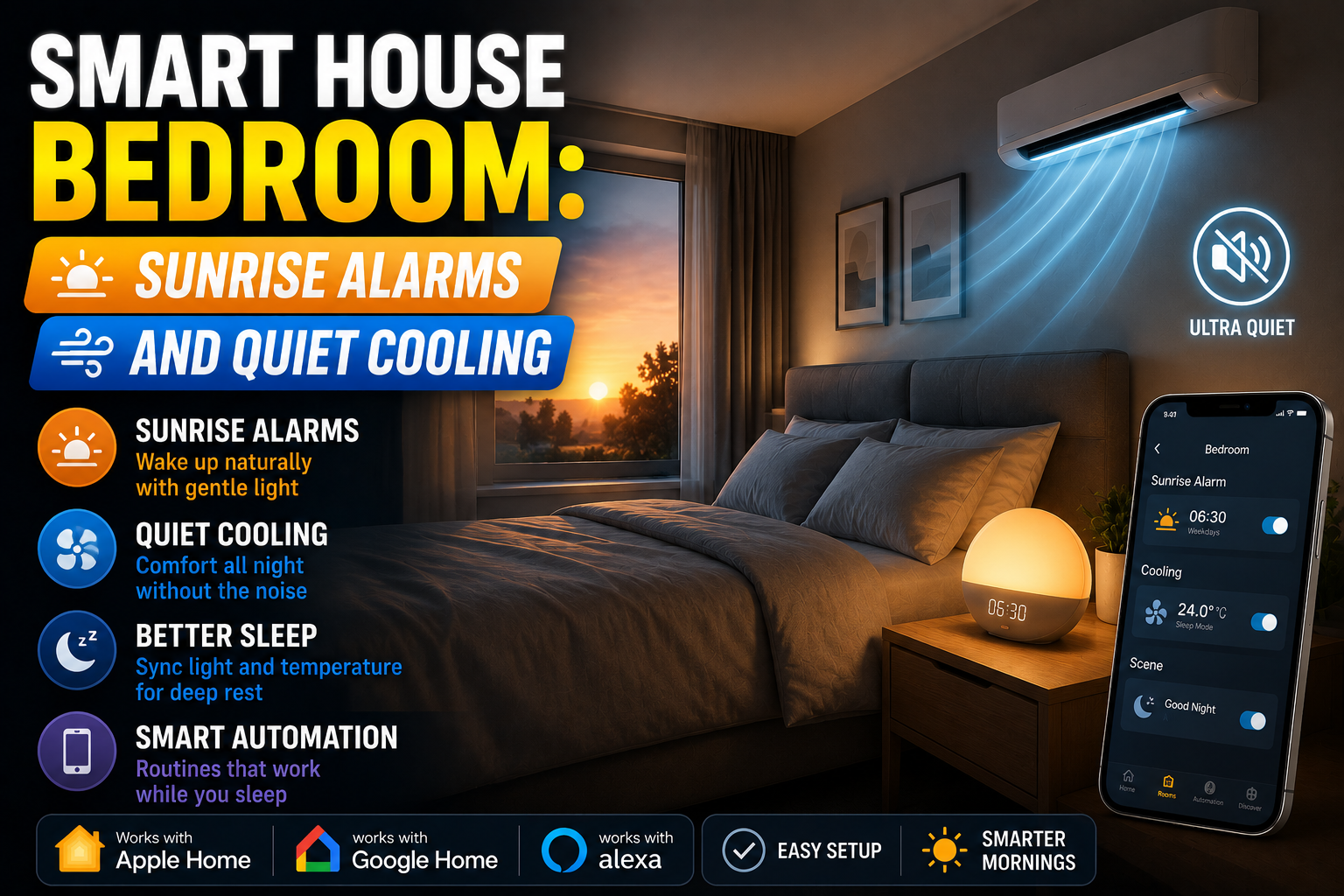
At 9:30 PM, bedroom lights shift to warm amber at 30% brightness via a scheduled scene. At 10:30 PM, a “Sleep” automation dims lights to 5% and turns the fan on at low speed. At 10:45 PM, lights turn off completely. At 6:00 AM, the sunrise simulation begins — lights slowly brightening from warm amber to bright white over 30 minutes. At 6:30 AM, the fan turns off and the thermostat adjusts back to daytime temperature. The entire sequence requires no interaction once it’s configured, and it can be overridden any night with a single tap on a bedside switch.
This isn’t futuristic. Everything described here is available today, works reliably, and can be set up in an afternoon without technical expertise.
Conclusion
The smart bedroom, done well, is one of the highest-return investments in home automation precisely because it addresses something fundamental: sleep quality and how you start the day. Sunrise alarms — whether through a dedicated device like the Philips SmartSleep or through a scheduled smart bulb routine — genuinely change the experience of waking up. Quiet, automated cooling removes one of the most common barriers to deep, uninterrupted sleep. And when both are tied together into a coherent automation stack, the bedroom starts to feel like it’s actively supporting your wellbeing rather than just passively housing you.
You don’t need a sprawling smart home setup or a large budget to get there. A single color-capable smart bulb, a basic sunrise routine in your smart home app, and an automatable fan or thermostat schedule will get you most of the way there within a week. The rest is refinement — and the kind of refinement, it turns out, that you’ll actually feel every morning.