
There’s a specific kind of frustration that comes with renting an apartment or living in a home where you simply cannot put holes in the walls. You want a smarter kitchen — one where the lights flicker on when you stumble in at midnight for a glass of water, or where the under-cabinet strips illuminate automatically the moment you step up to the counter to start cooking. But the moment you look into how people typically install motion-activated lighting, you run into a wall of tutorials involving wire strippers, junction boxes, and drill bits. If you’re a renter, or just someone who doesn’t want to commit to permanent modifications, it can feel like smart lighting is a club you’re not allowed to join.
That assumption is wrong, and it’s been wrong for a few years now. The combination of battery-powered smart devices, adhesive mounting systems, and increasingly capable motion sensors has quietly made drill-free smart kitchen lighting not just possible, but genuinely practical. You can build a kitchen that responds to your presence, integrates with your smart home ecosystem, and looks intentional — without touching a single stud or voiding your lease.
This article is about how to do that well. Not just “stick a sensor somewhere and hope for the best,” but a thoughtful, layered approach to motion-activated kitchen lighting that actually improves how the space feels and functions.
Why the Kitchen Is the Right Place to Start
If you’re going to introduce motion lighting anywhere in your home, the kitchen earns its spot at the top of the list for a few practical reasons. It’s a high-traffic area with specific task needs — you need bright, directed light when you’re chopping vegetables, but you don’t necessarily want to blast yourself with overhead fluorescents when you’re just reaching for a snack at 10 PM. The kitchen also tends to have distinct zones: the counter, the island, the pantry, the sink area, the cabinet interiors. Each of those zones is a candidate for its own motion-triggered light.
Beyond function, the kitchen is where the return on investment for smart lighting is most obvious. Lights left on in a room nobody is using is a small but constant drain — and in a kitchen where someone walks in, opens the fridge, and walks out without bothering to flip a switch, having lights that manage themselves just makes sense.
Understanding Your No-Drill Options
Before getting into specific products, it helps to understand the categories of no-drill motion lighting that actually work in a kitchen context. Not everything marketed as “easy install” is equally reliable or versatile.
Battery-Powered Motion Sensor Lights
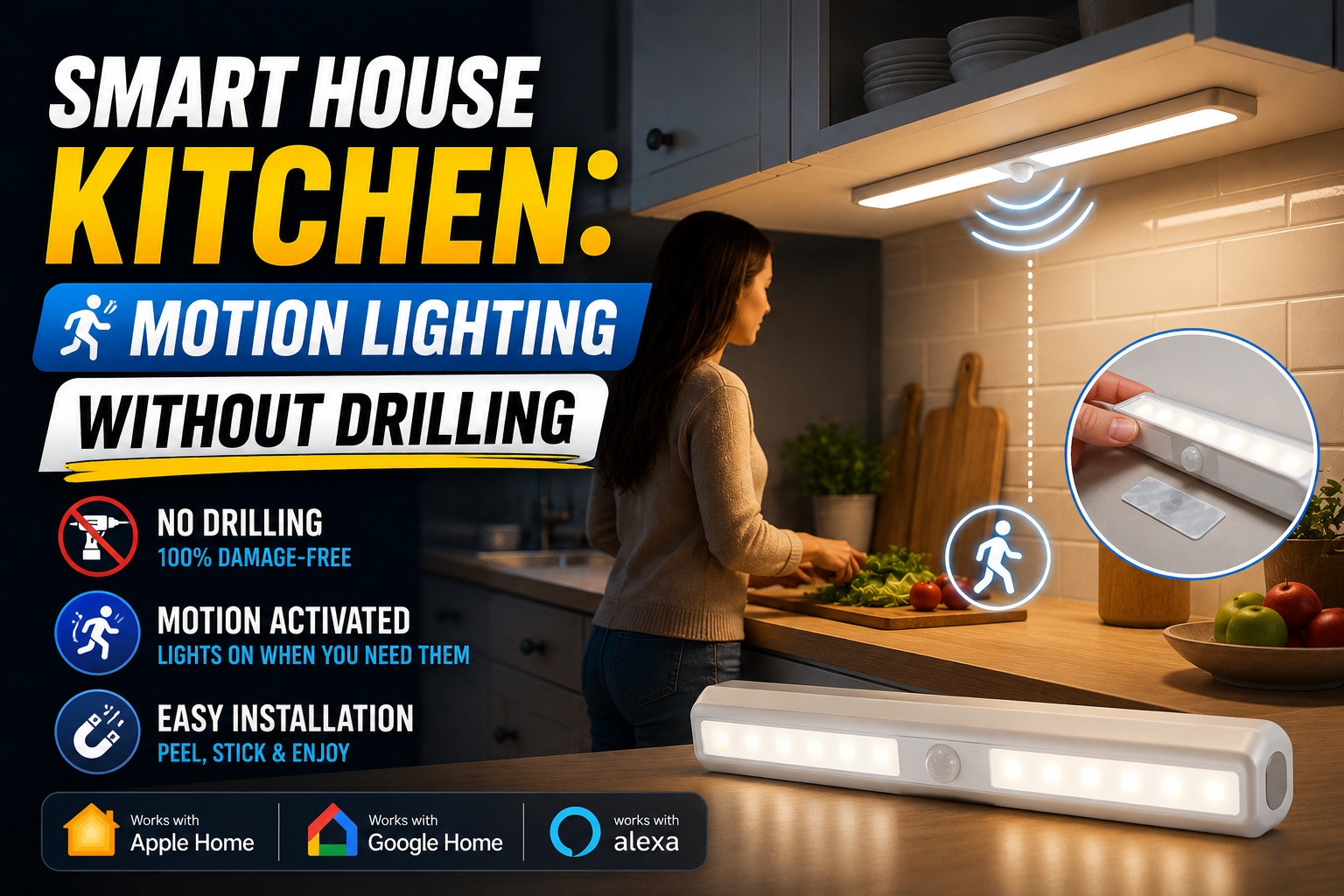
These are the most straightforward option — a self-contained unit with a built-in motion sensor, a light source, and a battery compartment, all in one. They mount via adhesive strips or magnetic plates (no screws required), and they work completely independently of your wiring or your smart home hub. Brands like Mr. Beams, Amir, and AUVON make popular versions of these that work well in pantries, inside cabinets, and under overhangs where running cables would be impractical.
The trade-off is brightness and integration. A battery-powered stick-up light in your pantry is great, but it won’t sync with your Apple Home or Google Home routines, and it won’t be as bright as a hardwired fixture. For accent lighting and supplemental illumination, they’re excellent. As the primary source of task lighting in a working kitchen, they fall short.
Smart Plug + Lamp Combinations
This approach gets overlooked because it doesn’t sound particularly elegant, but it works surprisingly well for specific kitchen zones. A smart plug (like the Eve Energy, the Kasa EP25, or a Matter-compatible equivalent) goes between your outlet and a desk or counter lamp, and a separate battery-powered motion sensor triggers the plug via a smart home automation. When motion is detected in the kitchen, the lamp turns on. When the room is clear for several minutes, it turns off.
A real example: a kitchen island with a pendant-style table lamp plugged into a smart plug, triggered by a Philips Hue Motion Sensor mounted on the refrigerator with its included adhesive bracket. Total installation time under ten minutes, no tools required, and the result looks completely intentional from a design standpoint.
Adhesive Smart Light Strips
Under-cabinet lighting is one of the most impactful upgrades you can make to a kitchen, and several companies now make smart LED strips specifically designed to stick directly to the underside of cabinets without screws or brackets. Govee, Philips Hue, and LIFX all have adhesive-backed options that are reasonably durable on laminate and painted wood surfaces.
Paired with a motion sensor automation, these strips become genuinely useful: they activate when you step up to the counter and turn off after you step away. The adhesive on quality strips holds well enough that they survive the typical heat and moisture of a kitchen environment, though it’s worth cleaning the surface with isopropyl alcohol before sticking anything down for maximum hold.
Rechargeable Wireless Motion Sensor Lights
This is a category that has improved dramatically in the past two years. Products like the Philips Hue Tap Dial’s close cousin, the Hue Go portable lamp, or the Lutron Aurora retrofit solution represent the higher end of the wireless, no-drill market. More directly relevant are devices like the IKEA VINDSTYRKA or the newer crop of rechargeable light bars from Govee and Yeelight that offer real lumens without any hardwiring.
The rechargeable format matters in a kitchen context because it removes battery anxiety — you pull the unit off its magnetic mount every few weeks, charge it via USB-C, and put it back. Several models now offer 30 to 60 days of typical use on a single charge, which makes the maintenance burden genuinely minimal.
Building a Layered Motion Lighting System in the Kitchen
The most effective no-drill kitchen setups don’t rely on a single type of device. They use multiple light sources triggered by motion at different levels — ambient, task, and accent — so the space responds intelligently based on what’s needed.
The Counter Zone
Under-cabinet LED strips are the workhorses here. Mount them along the full length of your upper cabinets, angled slightly toward the counter surface. A Philips Hue Gradient Lightstrip or a Govee H6154 can handle this job with adhesive backing. Connect them to a Hue Motion Sensor (which mounts with adhesive) positioned to detect movement in front of the counter — typically on the side of the refrigerator, or on the wall adjacent to the main prep area.
The automation: motion detected → strips turn on at 80% warm white. No motion for 3 minutes → strips turn off. At night (after 10 PM), the same trigger fires at 20% brightness instead, preserving your night vision if you’re just grabbing something quickly.
The Pantry and Cabinet Interiors
This is where battery-powered cabinet lights earn their keep without compromise. A motion-sensing LED puck light inside each cabinet that has deep storage means you can see what’s in the back of the shelf without using your phone as a flashlight. The Brilliant Evolution BRRC132 is a frequently recommended option — wireless, motion-activated, and mounts with the included adhesive pad. At roughly $12 to $15 per unit, you can equip an entire kitchen’s worth of cabinets for under $100.
The Ambient Layer
For overall kitchen illumination, the smart plug and lamp approach provides a no-drill solution that can anchor the room. A floor or counter lamp with a warm-toned bulb, connected to a smart plug, gives the kitchen an ambient base that triggers alongside the task lighting. Some users find that having ambient light come on a few seconds before the task lighting (using a 2-second delay in the automation) creates a more natural, gradual brightening effect rather than everything snapping on at once.
Choosing the Right Motion Sensors
The sensor is the brain of the whole system, and it’s worth spending a little more here than you might expect. The cheap PIR (passive infrared) sensors that come bundled with some starter kits often have frustratingly short ranges, wide dead zones, and unreliable timing — which means lights that don’t turn on when they should, or that switch off while you’re standing at the stove.
The Philips Hue Motion Sensor remains a benchmark for reliability in the HomeKit and Hue ecosystem — it has adjustable sensitivity, light-level detection (so it won’t trigger in a lit room), and consistent performance after years on the market. The IKEA Tradfri motion sensor is a cheaper alternative that works reliably within its limited ecosystem. For Matter-based setups, the Eve Motion sensor is an excellent pick that processes locally via Thread without cloud dependency.
All of these mount without drilling. The Hue sensor uses a magnetic ball-joint mount with an adhesive plate. Eve Motion and IKEA sensors use similar adhesive or friction-fit mounts included in the box.
Integration With Your Smart Home Ecosystem
One of the advantages of building this system with recognizable platforms — Hue, Eve, IKEA Tradfri, Govee, Kasa — is that most of them play nicely with the major smart home ecosystems. Hue and Eve integrate natively with Apple Home. Govee and Kasa work with Google Home and Alexa. Several of these brands now offer Matter support, which means they can function across platforms simultaneously.
The practical payoff of integration is richer automations. Instead of just “motion on → lights on,” you can build logic like: if motion is detected in the kitchen AND it’s after sunset AND nobody has been home for more than 30 minutes, turn on the lights at 60% AND send a notification. Or: if it’s before 6 AM, keep the lights at 10% regardless of the motion trigger, to avoid waking the rest of the house.
These aren’t advanced-user features anymore. The Apple Home app, Google Home routines, and even standalone apps like Hue’s own platform all offer this kind of conditional logic through interfaces that don’t require any programming knowledge.
Practical Tips Before You Buy
A few things that save headaches: measure the underside of your cabinets before ordering LED strips, because most strips come in fixed lengths and you’ll need to know whether you need connectors or extensions. Test adhesive pads in an inconspicuous spot before full installation — kitchen surfaces vary enormously in how well adhesive sticks, and some painted cabinets will not hold under heat and humidity. If you’re in a rental, check that removing adhesive mounting pads won’t pull the paint off; 3M Command strips are generally safer in this regard than generic adhesive pads.
Also: don’t underestimate the importance of color temperature. Kitchen lighting works best in the 2700K to 3000K range for ambient and general use, and 3000K to 4000K for task lighting. Many smart strips and bulbs let you tune this in the app, which is one of the genuine advantages of going smart over a traditional fixture.
Conclusion
Motion-activated kitchen lighting without drilling is no longer a compromise solution. With the current generation of adhesive-mounted sensors, rechargeable light bars, quality LED strips, and smart plugs, you can build a kitchen that behaves intelligently, looks good, and integrates with your broader smart home setup — without a single hole in the wall. The trick is treating it as a layered system rather than a single gadget purchase: task lighting at the counter, accent lighting inside cabinets, ambient light from a smart plug setup, all tied together by a reliable motion sensor or two. Start with the counter zone, get that working well, then expand outward. You’ll be surprised how quickly a rental kitchen starts to feel like it was designed to be smart all along.