



How a simple sensor can transform your bathroom into a smarter, healthier, and more energy-efficient space
- Why Bathroom Humidity Is a Bigger Deal Than Most People Think
- How Humidity Sensors Work in Practice
- The Fan Control Side of the Equation
- Building the Automation: Real-World Scenarios
- Choosing the Right Sensor: What Actually Matters
- Energy Efficiency: The Overlooked Benefit
- Installation Considerations and Common Mistakes
- Conclusion: Small Sensor, Big Impact
There’s a room in your home that generates more moisture, heat, and biological activity per square foot than any other — and most people completely ignore it when planning a smart home setup. The bathroom. We obsess over smart thermostats in the living room, voice-activated lights in the kitchen, and security cameras at the front door, yet the space where mold is most likely to grow, where energy is most likely wasted, and where air quality matters enormously often gets a basic exhaust fan wired to a light switch and nothing more.
That’s starting to change. Humidity sensors and intelligent fan control systems are quietly becoming one of the most practical and cost-effective upgrades you can make to a connected home. They’re not flashy. They won’t impress guests the way a voice-activated mirror might. But they solve a real problem, and they do it elegantly.
Why Bathroom Humidity Is a Bigger Deal Than Most People Think
Walk into a bathroom after someone’s taken a twenty-minute shower and you can practically feel the moisture hanging in the air. That’s not just uncomfortable — it’s actively damaging your home. Sustained relative humidity above 60% creates ideal conditions for mold and mildew growth, and bathrooms are among the most frequent sources of moisture intrusion into wall cavities, subflooring, and ceiling joists.
The economic case is straightforward. A mold remediation project can cost anywhere from $500 to $6,000 depending on severity and location, according to multiple home inspection industry sources. Compare that to the cost of a smart fan controller and a quality humidity sensor — typically $50 to $200 combined — and the math is hard to argue with.
But the health angle is equally important, and often underestimated. Mold spores don’t stay neatly in the bathroom. They circulate through HVAC systems, settle on soft surfaces, and aggravate respiratory conditions including asthma and allergies. For families with young children or elderly members, this is especially significant.
Beyond mold, high bathroom humidity also contributes to paint peeling, mirror fogging that doesn’t clear properly, warped cabinet doors, and in severe cases, structural rot. A humidity sensor running quietly in the background, triggering ventilation exactly when it’s needed, is one of the smallest investments with one of the largest protective effects in residential construction.
How Humidity Sensors Work in Practice
A humidity sensor — technically a hygrometer — measures the relative humidity in the air and converts that measurement into a signal your smart home system can act on. Most modern sensors use capacitive sensing: a thin film material changes its electrical properties as water vapor is absorbed and released, and those changes translate into percentage readings.
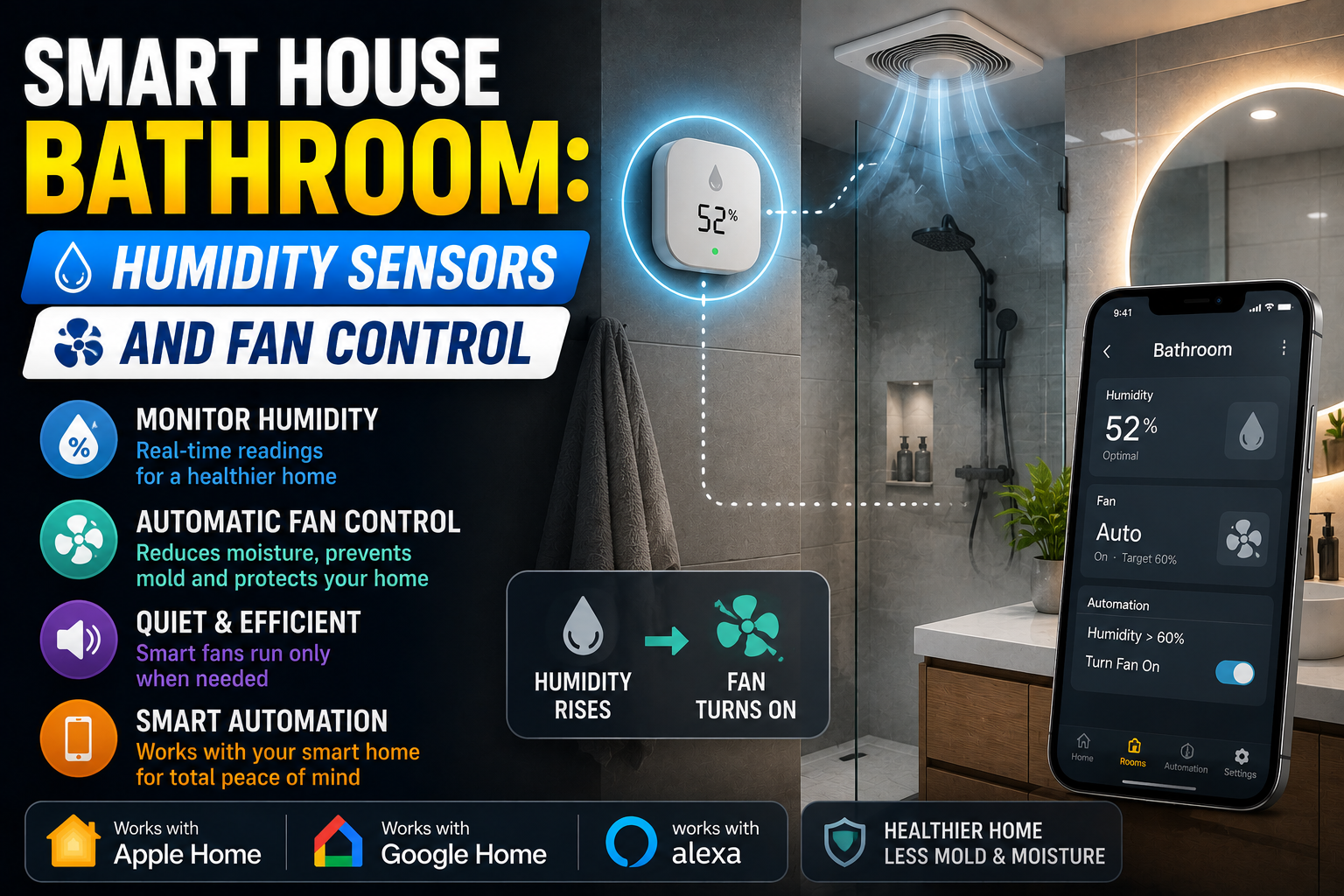
The better smart sensors update several times per minute and connect via Wi-Fi, Zigbee, or Z-Wave to your home automation hub. Basic models might only log data, but what you actually want is a sensor that triggers automations — specifically, one that can tell your bathroom exhaust fan to turn on when humidity climbs past a threshold and turn off once it drops back down.
Setting the Right Thresholds
This is where beginners often get tripped up. Setting your “fan on” trigger too low (say, 55% relative humidity) means the fan runs constantly in humid climates, wasting electricity and wearing out the motor prematurely. Setting it too high (70%+) means you’ve already been above mold-risk territory for a while before ventilation kicks in.
A reasonable starting point for most homes is to trigger the fan at 65-70% RH and turn it off once the bathroom drops back below 55-60%. You’ll want to calibrate this based on your baseline. A home in coastal Catalonia or Florida will have higher ambient humidity than one in Denver or Madrid’s interior, so the absolute numbers matter less than the delta — how much higher is the bathroom than the rest of the house?
Some systems, like those running Home Assistant, let you set dynamic triggers based on a comparison: “if bathroom humidity is 15% higher than the hallway sensor, run the fan.” This is significantly smarter than a fixed threshold and eliminates the problem of high-humidity climates triggering ventilation unnecessarily on a rainy day when the outdoor air itself isn’t particularly helpful for drying things out.
The Fan Control Side of the Equation
A humidity sensor without a controllable fan is just a notification system. The interesting work happens when the sensor is paired with intelligent fan control.
Replacing Your Dumb Fan Switch
The simplest upgrade is a smart fan switch — products like the Lutron Caseta fan controller, the Leviton Decora Smart, or the Sonoff MINIR4 for DIY setups. These replace your existing wall switch and give your automation system the ability to turn the fan on and off independently of the light.
This matters more than it sounds. One of the most common bad habits in bathroom ventilation is tying the fan to the light switch. People turn off the light when they leave the shower, the fan goes off, and the bathroom sits at 80% humidity for the next two hours. Decoupling the fan from the light — and handing control to a humidity-based automation — solves this completely.
Smart Fans with Built-In Humidity Sensing
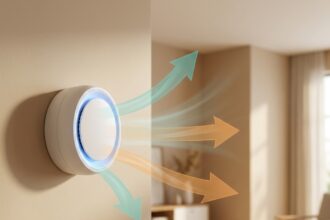
If you’re replacing the fan entirely, several manufacturers now build humidity sensors directly into the exhaust fan unit. Panasonic’s WhisperSense line is probably the most established in this category, with models that detect both humidity and motion. The fan turns on when someone enters, ramps up if humidity rises significantly, and runs for a timed period after the bathroom is vacated.
Broan-NuTone also makes smart bath fans compatible with their Smart Home system, and there are several Zigbee-compatible options for those already running a hub-based setup.
The integrated approach has a cleanliness advantage — you’re dealing with one device, one installation, and no wiring between separate components. The trade-off is less flexibility. If you want to log humidity data separately, compare it against outdoor conditions, or use the sensor for other automations (like alerting you to a leaking pipe), a standalone sensor paired with a smart switch gives you more options.
Building the Automation: Real-World Scenarios
Let me walk through how this actually works in a Home Assistant or SmartThings setup, because abstract descriptions only go so far.
Scenario one: Basic post-shower ventilation. A Zigbee humidity sensor (something like the SONOFF SNZB-02 or the Aqara TVOC Air Quality Monitor) is mounted near the shower. The automation watches for humidity above 68%. When triggered, it sends an “on” command to the smart switch controlling the fan. When humidity drops below 58%, it sends the “off” command. The whole thing runs silently in the background. Nobody has to touch anything.
Scenario two: Delayed shutoff with override. Same as above, but with an added condition: the fan runs for a minimum of 15 minutes after the humidity trigger, even if it drops quickly. This prevents the fan from cycling on and off during a shower. A physical button on the wall can still override the automation for manual control, which matters for household members who prefer traditional controls.
Scenario three: Leak detection integration. The humidity sensor feeds data to a dashboard that tracks long-term trends. If humidity levels are persistently elevated during hours when no showers should be happening — say, at 3am — the system sends a notification to the homeowner’s phone. This has caught slow pipe leaks and toilet condensation issues before they caused visible damage.
Scenario four: Voice-and-sensor hybrid. In a home using Amazon Alexa or Google Home, the fan can be controlled by voice while still defaulting to automatic humidity-based control. “Alexa, turn on the bathroom fan” works manually; the sensor automation takes over otherwise. This kind of layering — automation as the default, voice as the override — represents the most user-friendly implementation.
Choosing the Right Sensor: What Actually Matters
Not all humidity sensors are equal, and the marketing on many is aggressively misleading. Here’s what to actually pay attention to:
Accuracy and response time. A ±3% RH accuracy sensor is fine for home use. Some cheap units drift significantly over time, especially in the high-humidity environments they’re supposed to monitor. Sensors from Sensirion (whose chips are used in many premium products) and Bosch tend to hold calibration better.
Protocol compatibility. If you’re running a hub (Home Assistant with a Zigbee stick, SmartThings, Hubitat), a Zigbee or Z-Wave sensor keeps your data local and avoids cloud dependency. Wi-Fi sensors from brands like Govee or SwitchBot work well but require their cloud services, which creates a single point of failure.
Placement. Sensor placement is underrated. Mounting a humidity sensor directly above a shower — where steam hits it immediately — will give you earlier warnings but may also trigger false positives more easily. Placing it mid-room or near the door gives you a more representative reading of overall bathroom humidity. Experiment with placement if your initial setup is giving you unexpected behavior.
Battery vs. wired. Battery-powered sensors are easier to install but require maintenance. For a bathroom specifically, where humidity accelerates battery drain, rechargeable sensors or ones with USB power are worth the slight extra complexity.
Energy Efficiency: The Overlooked Benefit
Bathroom exhaust fans left running unnecessarily are a surprisingly significant source of energy waste in residential buildings. A typical bathroom fan uses 30 to 100 watts. Left running for four hours a day when it’s only actually needed for forty-five minutes, that’s a measurable impact on your electricity bill over the course of a year — and, in the context of whole-house HVAC, each minute the fan runs is also pulling conditioned air out of your home and replacing it with outdoor air that your heating or cooling system has to re-condition.
Humidity-based automation essentially puts the fan on exactly the schedule it should have been on all along. Studies on smart building controls consistently find that automated ventilation systems use 20-40% less energy than manually controlled equivalents, simply because people leave fans running out of habit or forget to turn them on at all.
Installation Considerations and Common Mistakes
The most common installation mistake is treating the humidity sensor as an afterthought and placing it wherever is convenient rather than where it’s most useful. The second most common mistake is setting thresholds without accounting for local climate and failing to revisit them seasonally.
From a wiring standpoint, if you’re replacing a fan switch with a smart switch, most bathrooms have a neutral wire available (unlike some older light switch boxes), which simplifies compatibility. If yours doesn’t, look for “no-neutral” compatible smart switches — they exist but your options are somewhat narrower.
For renters or anyone not wanting to touch the wiring, smart plugs with energy monitoring can be used if the fan has a plug-in connection, though most built-in exhaust fans are hardwired and this won’t apply.
Conclusion: Small Sensor, Big Impact
A smart bathroom with humidity sensing and automated fan control won’t make headlines at your next dinner party. It’s infrastructure, not spectacle. But it protects your home from mold, saves energy, improves air quality, and removes a genuinely useful task from the long list of things you have to consciously manage every day.
The technology is mature, the products are affordable, and the installation is within reach of anyone comfortable swapping a light switch. If you’re building out a smart home and wondering where to find the highest value per dollar spent, the bathroom deserves serious consideration.
Start with a quality humidity sensor. Pair it with a smart fan switch or controller. Spend an afternoon dialing in your thresholds. Then forget about it — which is, after all, the entire point.