
Offline Smart House: Local Automations That Survive Outages
- Why Offline Capabilities Matter More Than Ever
- Core Principles of an Offline Smart House
- Essential Hardware for Local Automations
- Setting Up Local Automations That Actually Work
- Real-World Examples and User Stories
- Overcoming Common Challenges
- The Future of Resilient Smart Homes
- Building Your Own Offline Smart House
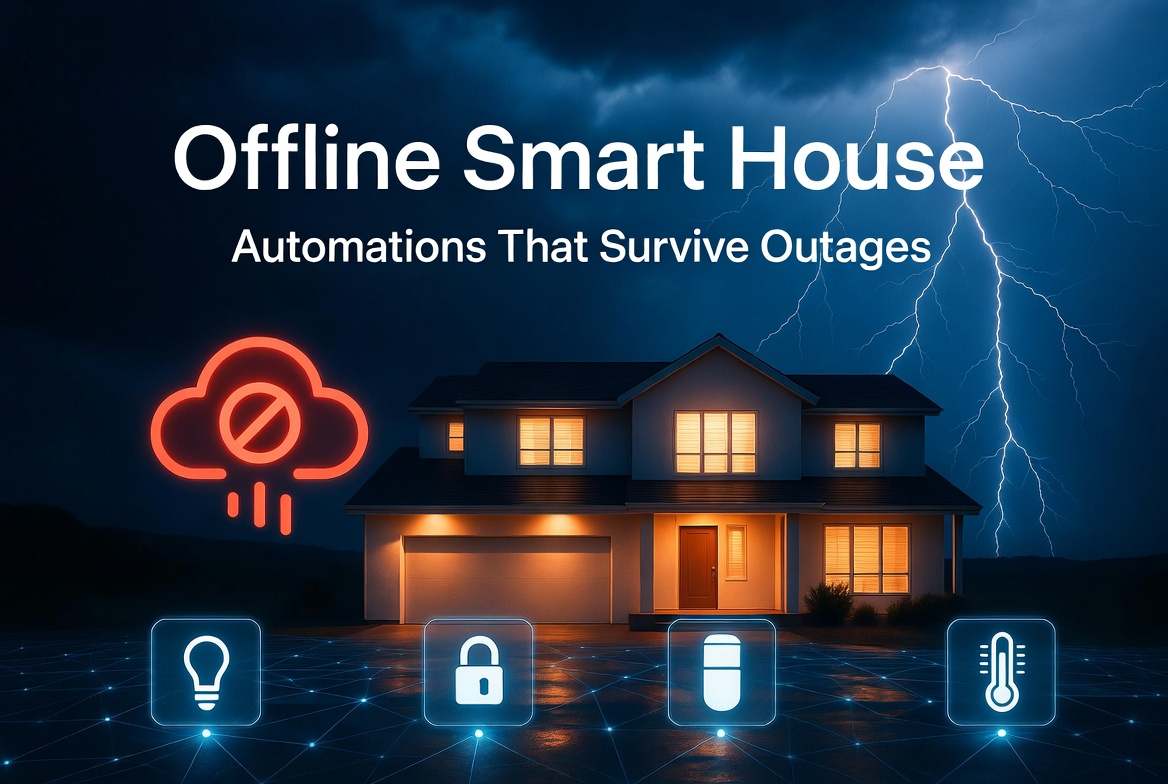
Imagine this: it’s midnight during a fierce summer storm. Lightning flashes, the power flickers once, twice, and then everything goes dark. Your phone buzzes with a notification from your utility company—outage expected for hours. In a typical connected smart home, the lights stay off, the thermostat goes rogue, the security cameras stop recording, and your voice assistant is reduced to a fancy paperweight. But in an offline smart house, the motion sensors still trigger the lights, the doors stay locked, the blinds close automatically as night falls, and your home continues to look after itself quietly and reliably.
This is the promise of offline smart home technology: automations that don’t depend on the cloud, constant internet, or even stable grid power. As our homes become smarter, many homeowners are realizing that true intelligence isn’t about flashy features—it’s about resilience. In this article, we’ll explore how to build a genuinely robust offline smart house that keeps working when the outside world doesn’t.
Why Offline Capabilities Matter More Than Ever
The smart home market has exploded with Wi-Fi-dependent devices, cloud services, and subscription models. While convenient, this approach creates a single point of failure: your internet connection or the manufacturer’s servers. A 2023 outage at a major smart home platform left thousands of users unable to control lights, locks, or cameras for hours. Power outages compound the problem—most routers and modems die quickly without electricity.
Local automations solve this by processing decisions right inside your home. Commands travel over local networks or direct device-to-device communication instead of routing through distant data centers. The result? Your home remains responsive, private, and functional even during extended outages, storms, or internet blackouts.
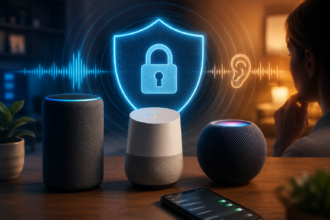
Beyond reliability, offline setups offer better privacy. Every command sent to the cloud is potentially logged, analyzed, or vulnerable to breaches. Local control keeps your data where it belongs—inside your four walls. For families in rural areas, regions with unreliable infrastructure, or anyone who values independence, an offline-first approach isn’t a niche preference. It’s the smarter way to build.
Core Principles of an Offline Smart House
An effective offline smart home rests on three pillars: local processing, reliable communication protocols, and graceful degradation.
Local processing means using hubs or devices with enough onboard computing power to run rules and automations without phoning home. Graceful degradation ensures that when power or connectivity is limited, the system prioritizes essential functions—like security, lighting, and climate control—while non-critical features pause.
Power management becomes critical. Many modern smart devices now include small batteries or low-power modes, but the best setups combine them with uninterruptible power supplies (UPS) for the most important components and energy-efficient protocols that sip power rather than guzzle it.
Essential Hardware for Local Automations
Building resilience starts with choosing the right foundation.
Smart Hubs and Local Controllers
Devices like the Home Assistant Yellow, Raspberry Pi-based setups, or Hubitat Elevation excel here. These run locally and support dozens of protocols without cloud dependency. Home Assistant, in particular, has become a favorite among enthusiasts because it offers powerful automation scripting that lives entirely on the device.
Communication Protocols
- Zigbee: Low power, mesh networking, excellent range. Devices can relay signals for each other, so even if one is offline, the network often stays alive.
- Z-Wave: Similar mesh benefits with strong security and penetration through walls.
- Thread and Matter: Newer standards promising better interoperability and native local control. Matter’s promise of “it just works” across brands while staying local is a game-changer.
- Bluetooth Mesh: Useful for smaller setups or battery-powered sensors.
Avoid relying solely on Wi-Fi devices for critical automations. Wi-Fi is power-hungry and collapses easily without a router.
Sensors and Actuators
Motion sensors, door/window contacts, temperature/humidity sensors, and smart relays form the nervous system of your offline house. Brands like Aqara, IKEA, and Zooz offer reliable Zigbee options that work beautifully in local setups. For lighting, look for bulbs and switches with local control capabilities—Philips Hue can work locally with the right hub, but many cheaper Zigbee bulbs are more flexible.
Power Backup Strategies
A good UPS for your hub and router buys precious time. Solar-powered sensors and rechargeable battery devices extend functionality during prolonged outages. Some advanced users even integrate small UPS units or Power over Ethernet (PoE) setups for cameras and key controllers.
Setting Up Local Automations That Actually Work
The real magic happens in the automation rules. Here’s how to think about them practically.
Basic Lighting Automations
A simple but powerful rule: “If motion is detected after sunset and the room is dark, turn on lights to 40% brightness.” This works entirely locally. Add conditions like “unless the home is in ‘away’ mode” or “if someone is already in the room” for refinement. During an outage, these rules continue uninterrupted.
Security and Safety
Local door sensors can trigger sirens, activate floodlights, or send notifications to a battery-powered tablet inside the house. Cameras with SD card storage or local NVR (network video recorder) keep recording even without internet. One homeowner in Florida shared how, during Hurricane Ian, his local Home Assistant setup kept his exterior lights and cameras operational on backup power, deterring potential looters while neighbors’ cloud-dependent systems went dark.
Climate Control
Smart thermostats like the Ecobee (in local mode) or dedicated Zigbee temperature sensors paired with smart vents or IR blasters can maintain comfortable temperatures. During a winter outage, rules can close blinds to retain heat or open them during sunny hours for passive solar gain—all without cloud access.
Energy Management
Monitor power usage with local smart plugs and meters. Automations can shut off non-essential loads when on battery backup, extending runtime for critical systems. Advanced users integrate whole-home energy monitors that trigger load-shedding sequences automatically.
Real-World Examples and User Stories
Sarah, a remote worker in the Pacific Northwest, built her offline smart home after repeated winter storms knocked out power and internet for days. Using Home Assistant on a Raspberry Pi with Zigbee devices, she automated her wood stove fan, backup generator monitoring, and essential lighting. “The first time the power went out for 36 hours, I barely noticed the difference in daily comfort,” she says. “My coffee maker still turned on at 7 AM on a timer, and the cat’s automatic feeder kept working.”
In Europe, a family in a rural German village combined Matter-compatible devices with a local hub to manage their off-grid solar setup. Their system automatically prioritizes power to refrigerators, medical devices, and lighting while dimming less critical circuits—proving that offline smart homes are ideal for both grid-tied and energy-independent living.
Even urban apartments benefit. One New York resident uses local automations to manage noise-canceling blinds, air purifiers, and security during frequent heatwave blackouts. The system doesn’t need Wi-Fi to know when it’s time to close the blinds as the sun sets.
Overcoming Common Challenges
No system is perfect. Here are the main hurdles and practical solutions:
Interoperability
Different brands speak different languages. Solution: Choose Zigbee or Matter devices aggressively and use a powerful local hub as the translator.
Learning Curve
Setting up Home Assistant or similar platforms takes time. Start small—get lights and sensors working first, then layer on more complex rules. The community forums are incredibly helpful.
Power Consumption
Hubs and always-on devices need careful power management. Use efficient hardware (low-power ARM boards) and proper UPS sizing.
Firmware and Updates
Local systems still need maintenance. Schedule updates during stable periods and maintain good backups of your configuration.
Scalability
Start with one or two rooms and expand. Many users report that once the foundation is solid, adding new devices becomes addictive.
The Future of Resilient Smart Homes
The industry is slowly shifting. Matter’s adoption by major players signals a move toward better local control and reduced cloud dependency. Battery technology continues to improve, making fully wireless, long-lasting sensors more viable. We’re also seeing more hybrid systems that default to local operation and only use the cloud when explicitly needed.
Open-source platforms like Home Assistant are driving innovation faster than many commercial offerings. As more manufacturers embrace local APIs and standard protocols, building an offline smart house will become accessible to non-technical users.
Building Your Own Offline Smart House
You don’t need to overhaul your entire home at once. Begin by identifying your must-have functions during an outage: safety, basic lighting, security, and perhaps one or two comforts. Invest in a solid local hub, a handful of quality sensors, and a UPS. Test your automations thoroughly under normal conditions, then simulate an outage by unplugging your modem and router.
The goal isn’t to create a futuristic sci-fi home. It’s to build a home that quietly supports your life—even when the world outside becomes chaotic.
An offline smart house isn’t about rejecting modern convenience. It’s about reclaiming control and adding a layer of thoughtful resilience. In an age of increasing climate volatility, infrastructure strain, and privacy concerns, local automations represent the mature evolution of the smart home concept.
Your home should work for you, not depend on conditions beyond your control. By focusing on local processing, reliable protocols, and sensible power management, you can create a living space that feels intelligent not just when everything is perfect—but especially when things aren’t.
The next time the lights go out, you might just find yourself smiling in the warm glow of automations that kept working all along.
This guide should give you both inspiration and a practical starting point. Whether you’re a seasoned home automation enthusiast or just beginning your journey, the offline approach delivers peace of mind that cloud-only systems simply can’t match.